The tiny AI film studio

Script in, episode out.

pod is a small studio crew of specialized AIs that runs on your own computer. Tell it an idea, or hand it your finished screenplay, and it writes, casts, shoots, quality-checks and edits the film. You direct exactly as much as you want to.

Other platforms
Available for macOS, Windows and Linux · install guides
curl -fsSL https://lic.brainpuddle.com/install.sh | sh Paste this one line into Terminal and press Enter. It detects Apple Silicon or Intel by itself and installs in about three minutes. Works on Linux too.

Made with pod — chariot epics, jungle drones, palace monsoon drama, feature animation, rain-noir, macro and underwater, cut with real client work. Every shot planned, generated, quality-checked and edited by the crew.

How it works

You talk. The crew works.
Nothing renders before you say go.

Every film moves through review stops called gates. At each one, pod shows its work and waits. Press Enter to approve, or say a change in plain words. You approve every creative gate — saying no is always free.

1Tell it what you want

"A 90-second telugu teaser of my thriller, vertical, moody." Or drop in a 30-episode screenplay PDF. Any language works.

2It asks, then shows the price

Length, look, dialogue style: pod asks what it needs upfront, lists what it would assume, and shows the exact cost before a single frame renders.

3You approve each gate

Script, faces, shot plan, keyframes, every scene's clips, the final cut. Speak camera if you like: "shot-03, over-the-shoulder, golden hour."

4The film lands on your machine

A finished MP4 with a full report, saved to an episodes folder on your computer. Your only copy, by design. We keep nothing.

New in 2.9.4 · Pod Studio

Watch your film come together
on one wall.

Type pod and a studio opens in your browser. A shelf of every film you're making; open one and its whole pipeline unrolls left to right, live as it renders. The terminal still works exactly the same — the studio is just there when you'd rather point than type. In light or dark.
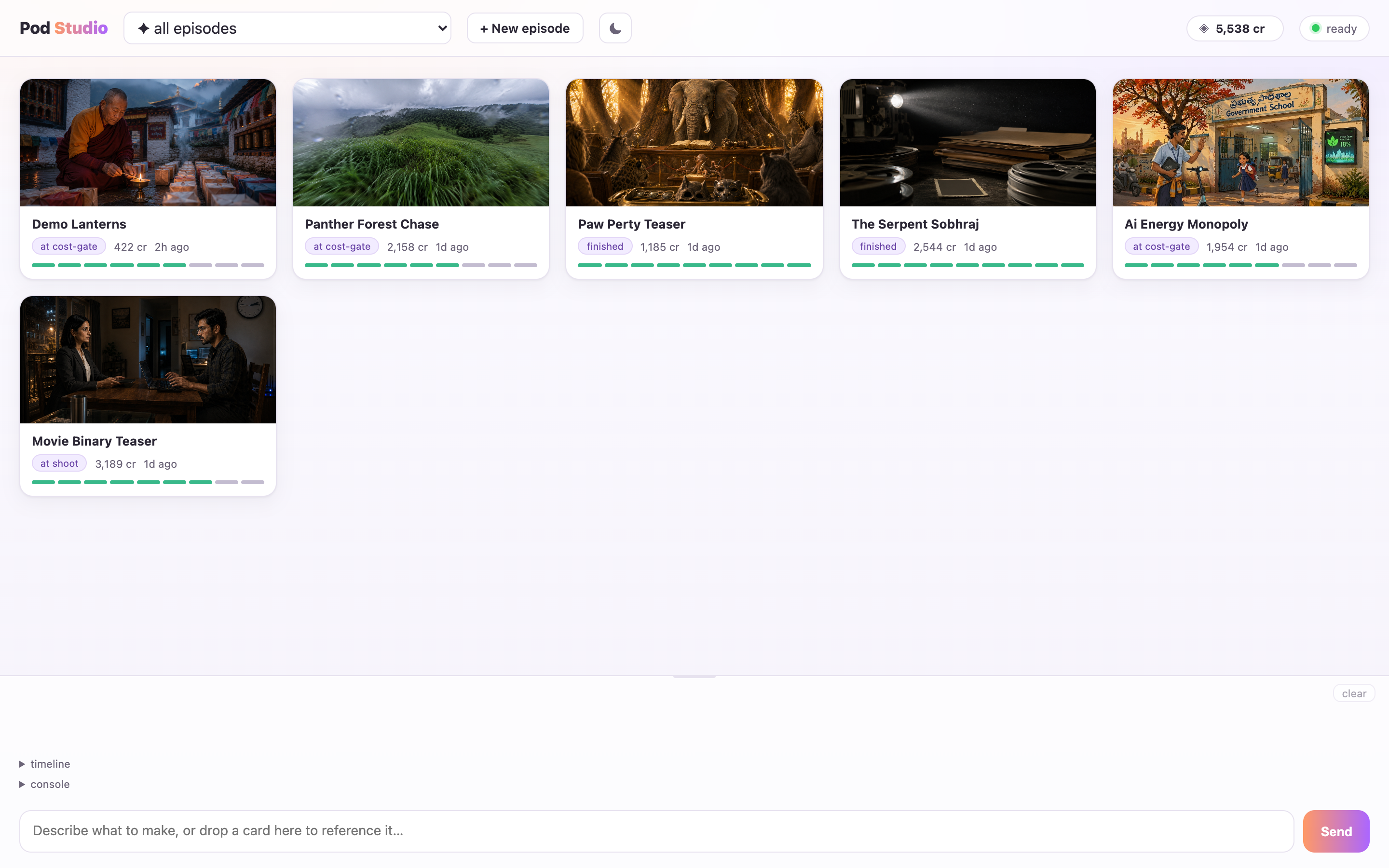
Pod Studio home dashboard: each film is a card with a poster still, a status pill, credits spent so far and a row of progress dots. The live license balance sits in the top-right of the header.
Every film you've started, one shelf. Poster, how far it's got, and what it's spent — Paw Perty Teaser finished at 1,185 credits, Panther Forest Chase paused at its cost gate. The balance up top is your real license balance, live.
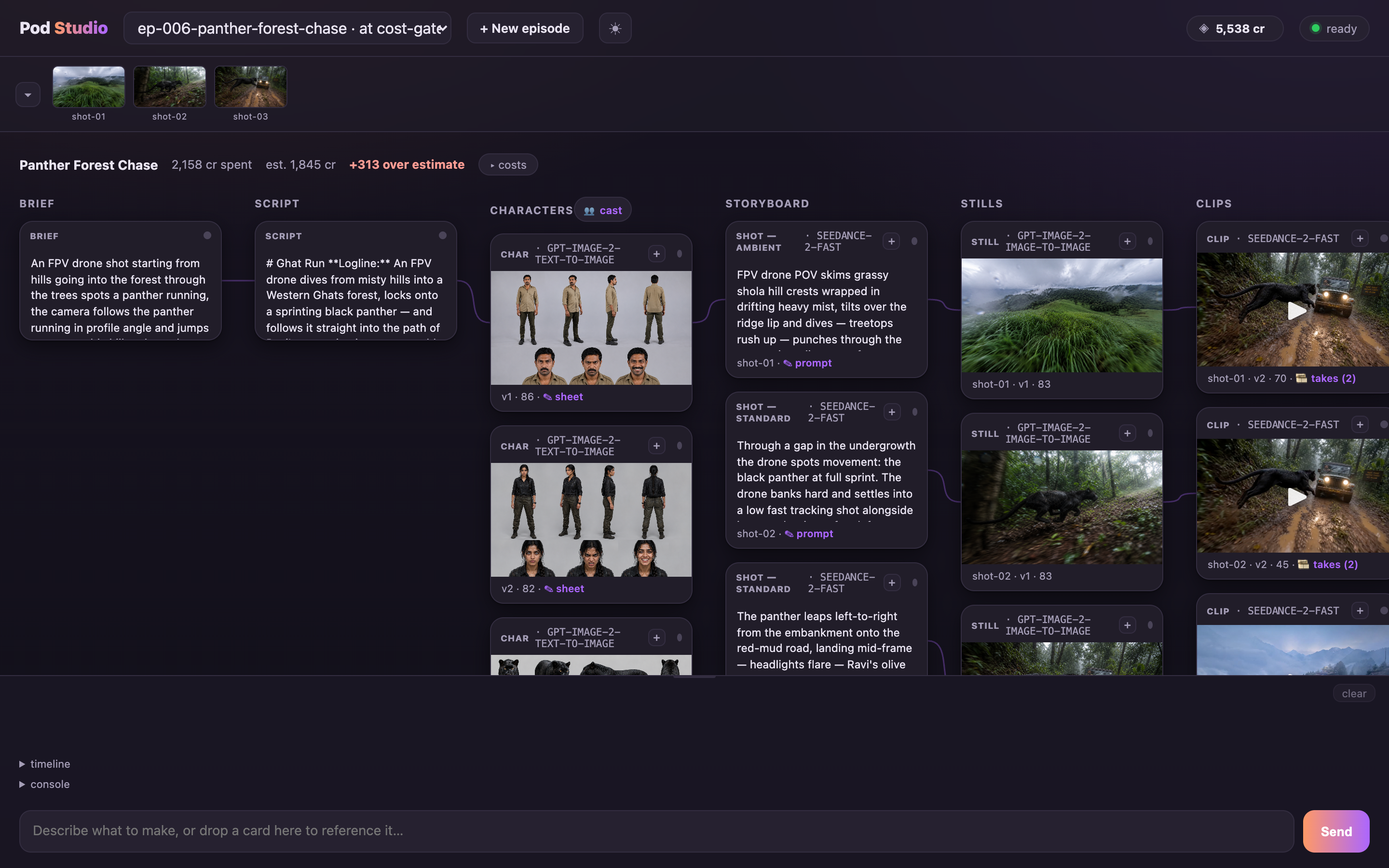
Pod Studio episode canvas: a filmstrip of shots on top, then pipeline columns — brief, script, characters, storyboard, stills, clips — each card naming the AI model that produced it, above a cost strip flagging 313 credits over estimate.
Open a film and the pipeline unrolls: brief, script, characters, storyboard, stills, clips. Every card names the model that made it, and the strip up top is honest about overruns — 2,158 spent against a 1,845 estimate, the +313 called out in the open.
See your moneyNothing spends behind your back.

The credit balance sits in the header and ticks with every run; each film shows what it's spent. Open the cost panel for per-shot bars and the number of attempts each one took, spent against estimate. Editing and re-stitching never cost a credit — every render waits at a gate you approve first.
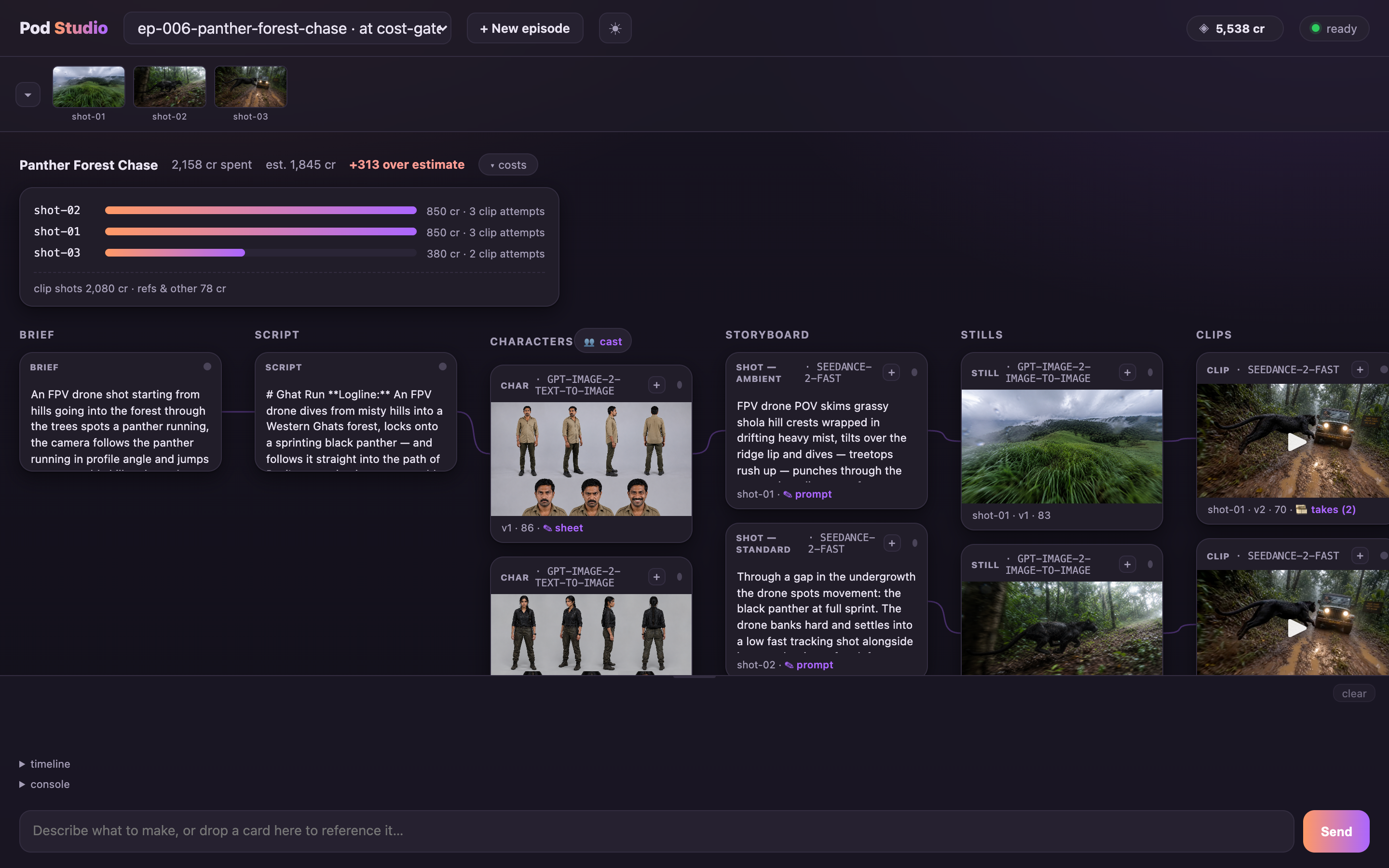
Pod Studio cost panel expanded: each shot has a gradient bar sized to its cost, its credit total and clip-attempt count — shot-01 and shot-02 each 850 credits over three attempts, shot-03 380 over two.
Every shot, itemized: a bar for what it cost and how many attempts it took. shot-01 and shot-02 each ran three clip attempts at 850 credits; shot-03 landed in two. Clip shots 2,080, refs and everything else 78.
Direct from the couchSay it, or drop it in.

Talk to the studio in plain words, or drag a screenplay PDF, a reference photo or an audio file straight into the chat. Edit a script scene, the brief, a character sheet or a shot prompt in place — saving marks the work downstream stale, but nothing re-renders until you approve the cost. Keyboard shortcuts, a tab badge and a browser ping when pod needs you, and your chat survives a reload.

In the cutting roomEvery version is still there.

Flip through every version of a shot at one fixed size — differences jump out when the frame never moves. Browse every take of a shot and switch which one makes the cut — a free re-stitch from footage you already own, once the episode's finished. The final player marks each shot as a chapter with a "fix this shot" button, and a run timeline logs every stage, attempt, PASS/FAIL verdict and gate.
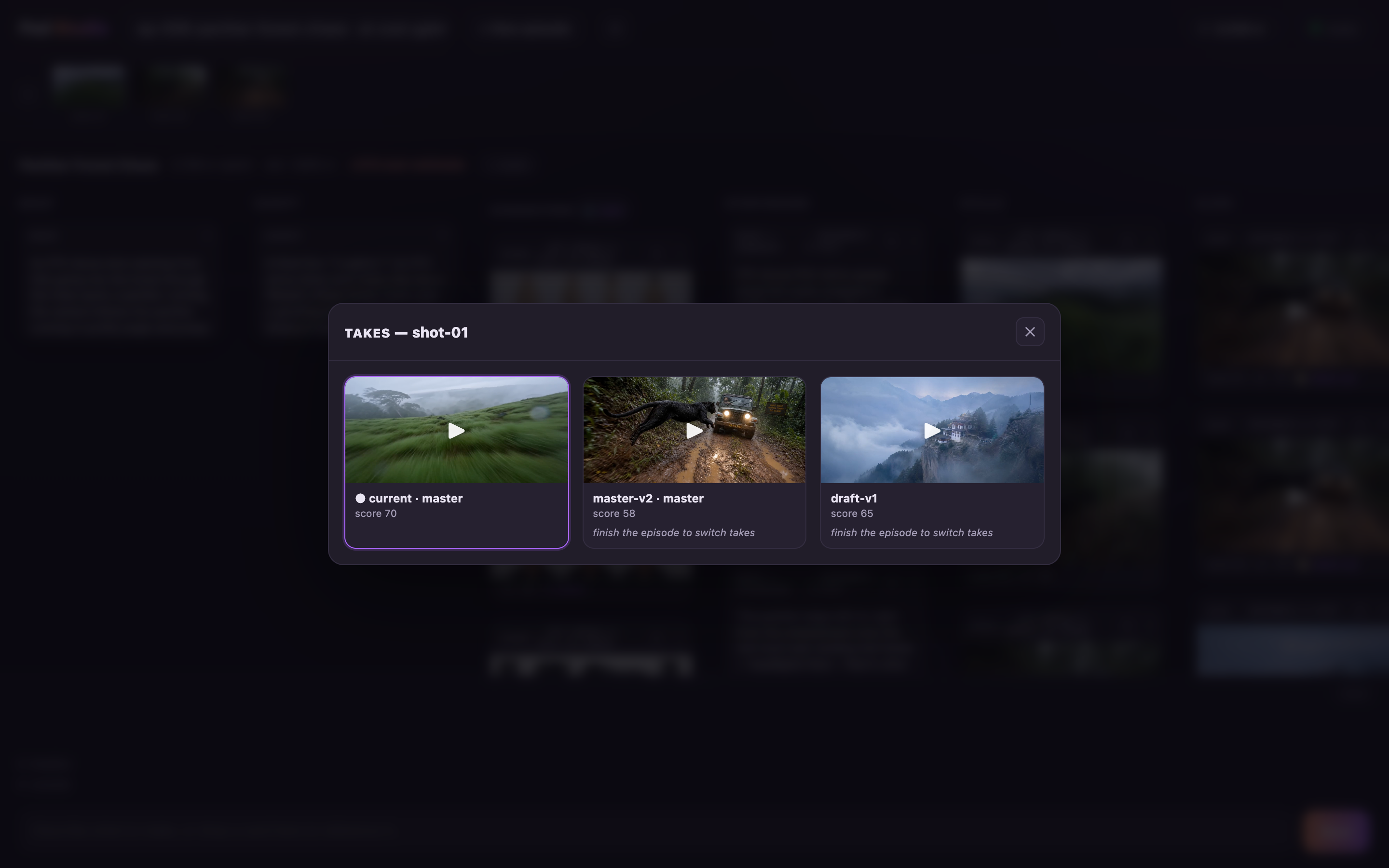
Pod Studio takes browser for shot-01: the current master take scored 70 sits beside an earlier master-v2 at 58 and a 480p draft at 65, the alternates labelled 'finish the episode to switch takes'.
Every take a shot ever had, kept. Pick a different one and pod re-stitches from footage you already paid for — no new credits. It only unlocks on a finished film, so it says so.
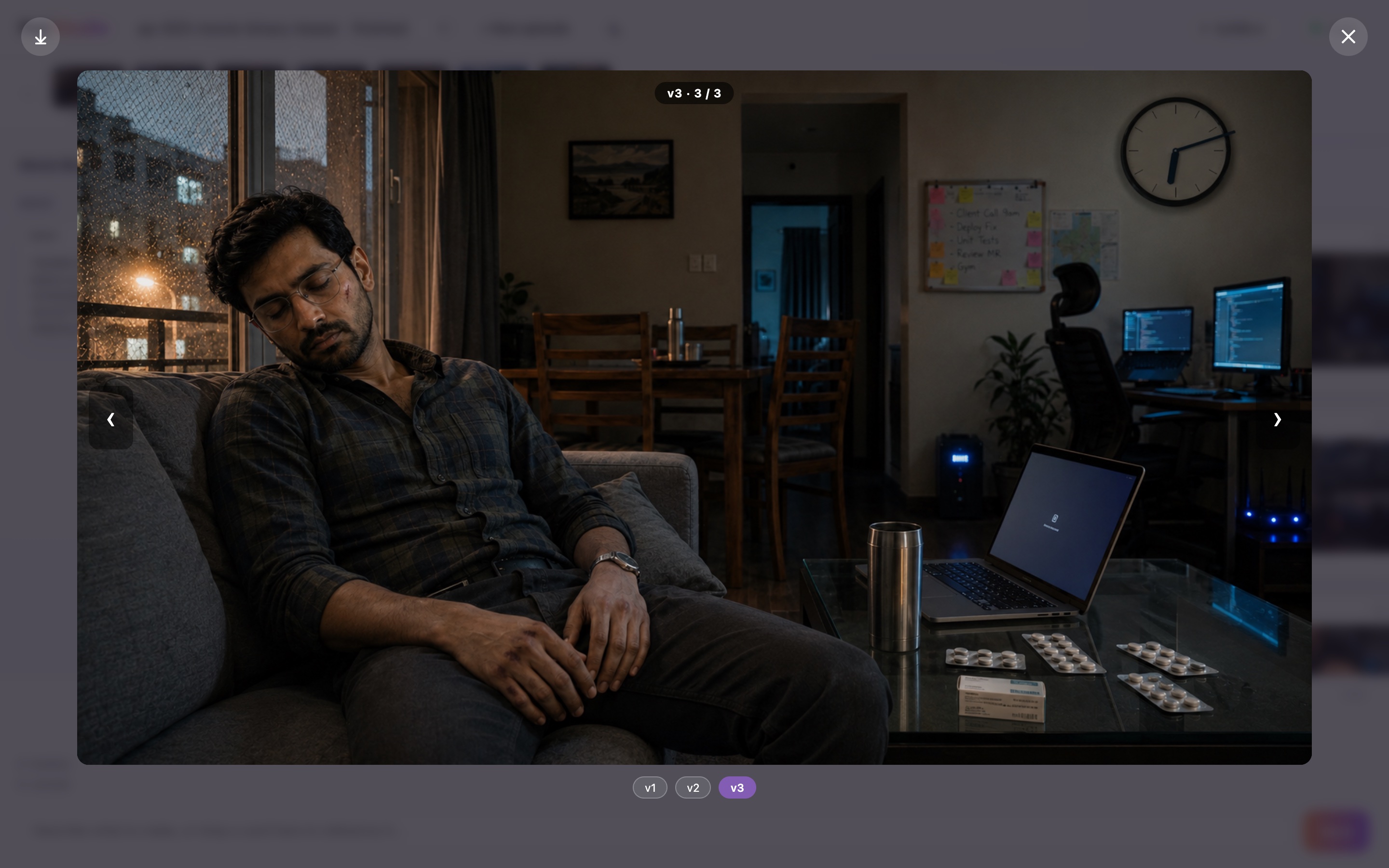
Pod Studio version compare: version 3 of 3 of a still shown full-frame, with left/right arrows and v1/v2/v3 chips to flip between every version at the same size.
Click compare and flip through every version with the ← → arrows — each one fills the same frame, so a change jumps right out. Clips flip the same way.
The crew

A full studio behind one front desk.

Your idea doesn't go to one AI trying to do everything. It moves through specialists, and every specialist's work is checked before you see it.

Front deskturns your plain words, in any language, into exactly the right job
Head writeryour brief becomes a tight, filmable script with continuity notes
Casting directorpicks the right generation engines for your film's style, price shown first
Character designercanonical faces and places, locked so they never drift
Storyboard artistdivides scenes into shots after asking how you want them covered
Cinematographertranslates "85mm, golden hour, 35mm grain" precisely into every prompt
Continuity supervisorwatches every scene and cut boundary so rooms never mirror-flip
Editor & soundvoice-over, music, conform, stitch, mix, deliver
Directed, not generated

You stay in the chair.

You're in full control

You approve every creative gate — script, faces, shot plan, keyframes, every clip, the final cut. No AI loop judges your film or spends a credit behind your back. Hands-off assisted and autopilot modes are benched for now, returning soon once they're worthy of real productions.

Speak camera

Over-the-shoulder, POV, top-down, drone. Lenses, light, grain, colour temperature. 92 terms, Tab-completing as you type, and the crew honors them to the letter.

Episode 30 remembers episode 1

Faces and places lock into your series canon. Returning characters are reused as-is: the same face across the whole season, and nothing regenerates, so every episode gets cheaper.

Money is explicit

The exact estimate before footage renders. Cheap drafts absorb the iteration, masters render once. Edits recut free from existing takes. Interrupted renders are never billed twice.

Your files stay yours

Films, scripts and canon live only on your computer. Updates are cryptographically signed. pod doctor heals the setup if anything looks off.

Docs that hold your hand

Written for creatives who have never opened a Terminal: every keystroke, every gate, every camera word. Read the docs.

Roll camera

Your first episode, this afternoon.

Install in minutes, paste your license key, and type what you want to make. Generation is included with studio plans, no other accounts to create.

⊞ Download for Windows
curl -fsSL https://lic.brainpuddle.com/install.sh | sh Paste this one line into Terminal and press Enter. Works on Linux too.

Write to us for a key · we're onboarding a handful of studios at a time.