Studio seats & roles
Your pod licence is not just one person's key. It is your studio: a named set of people, each in a seat, each seeing exactly as much as their job needs.
One licence, one studio
The licence key you pasted into pod on day one is your studio on the hub: an organisation with your name on it, your people in it, and your client accounts under it. There is nothing extra to buy, sign up for, or connect. If you have a key, you have a studio; the first person in it is you, as its owner.
Everything else in this section hangs off that one idea. The studio is the boundary: your episodes, your projects, your clients and your record of decisions all live inside it, and nothing crosses out of it.
Two pools of seats
A studio comes with two separate seat pools, and keeping them separate is the point. Your editor and your customer are not the same kind of person, and they should not compete for the same chair.
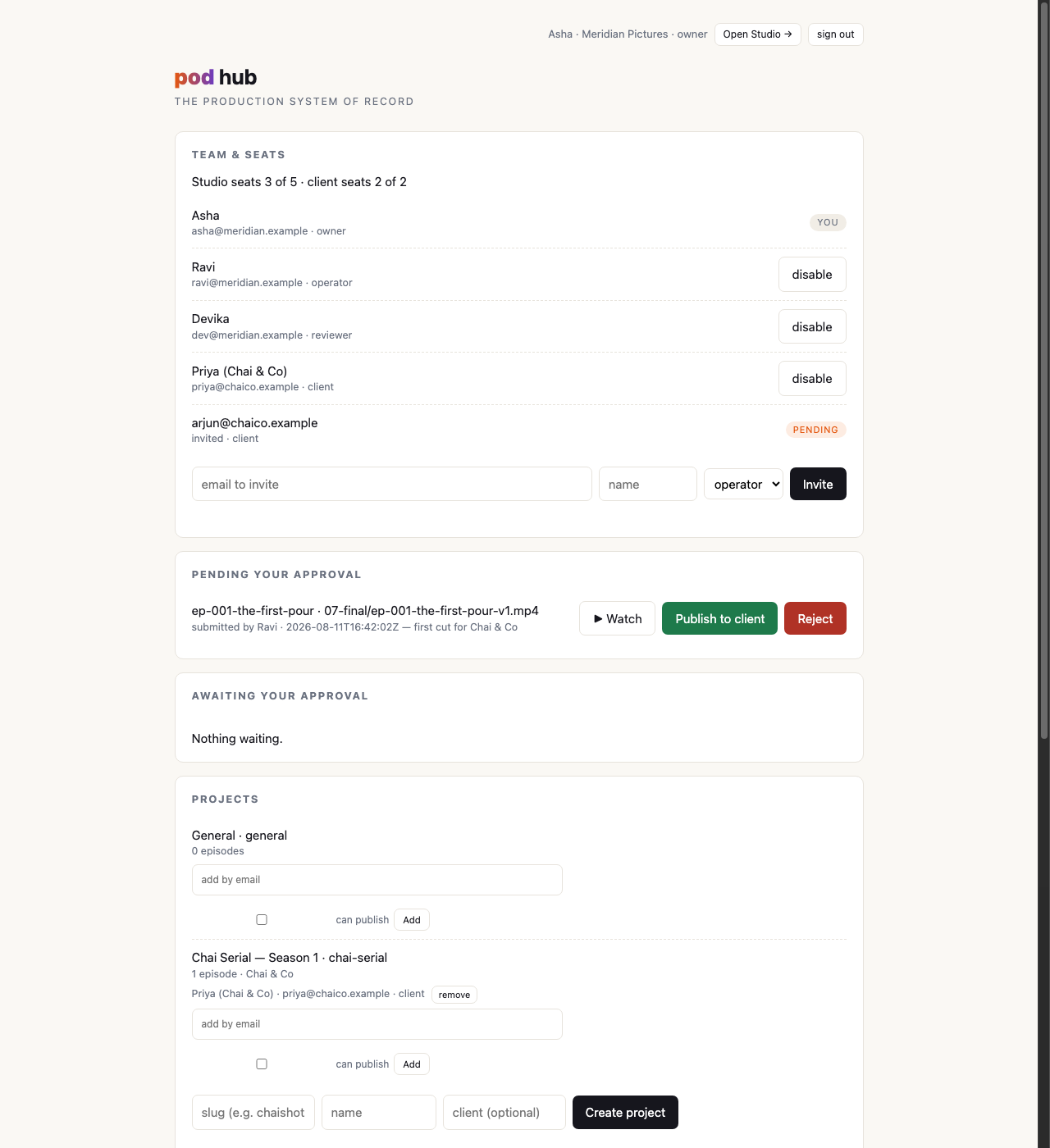
Studio seats are your people: you and whoever you employ. Client seats are the customers you're making films for, one seat per account, held by the person on their side who signs off on cuts. Five and two are the defaults; your plan sets the actual numbers.
Seats are counted when someone is invited and when a disabled person is switched back on, never in the middle of somebody's working day. An invite you've sent but nobody has accepted holds its seat, which is why a studio with one live customer and one pending invitation reads "2 of 2". If you free up a seat by disabling a leaver, the seat is available immediately; nobody who is already logged in and working gets thrown out because a count changed underneath them.
Signup is invite-only
There is no "create an account" page anywhere in this system, for anybody. The owner types an email address, a name and a role, and presses Invite. That mints a one-time link, good for a week, on which that person sets their own password. That's the only door.
This is deliberate and it is not a temporary limitation. A studio's client portal is not a place where strangers should be able to make themselves an account and start looking around. Every single person in your studio, employee or customer, is there because you typed their email address and pressed invite.
The four roles
owner: you
The studio's manager and administrator. The owner invites people, creates projects, decides who works on which client account, and holds the final say on what reaches a customer. There is exactly one thing an owner can't do: pretend they didn't approve something (see the decision record).
operator and reviewer: your crew
The studio seats that do the work. They push episodes up from their own machines, submit cuts for client review, read the client's notes, and iterate. They see every episode and every project in the studio, not just the ones they're assigned to.
The two labels carry the same permissions. The distinction exists so your seat list reads like your actual team (the person who runs productions and the person who only ever looks at cuts shouldn't be described by the same word), and so that if a real permission split is ever needed, it has a place to land. Today, treat them as one seat class with two names.
client: your customer
A guest in your studio, not a quiet member of it. A client seat sees only the projects it's a member of, and inside those, only the cuts you explicitly put in front of it. It never sees drafts, alternative takes, character sheets, shot prompts, other customers' work, or the list of people who work for you.
It is also the only kind of seat that can be reached by a review link, the no-password link to one surfaced cut that publishing produces, which is how most customers will actually watch and sign off. The seat and its password still exist and still matter: they are what the portal opens with, where every cut and every note live together. The link is a shortcut to one of them, aimed at the person who reads it on a phone between meetings.
Who sees what
| owner | operator / reviewer | client | |
|---|---|---|---|
| Every episode in the studio | Yes | Yes | No |
| Cuts surfaced to them | Yes | Yes | Yes, in their projects only |
| Drafts, takes, sheets, shot prompts | Yes | Yes | Never |
| Other clients' projects | Yes | Yes | Never |
| The studio's list of people | Yes | No | Never |
| Invite people, manage seats | Yes | No | No |
| Create projects, assign members | Yes | No | No |
| Push an episode from the terminal | Yes | Yes | No |
| Submit a cut for review | Yes | Yes | No |
| Approve someone else's submission | Yes | No | No |
| Publish straight to a client | Yes | Only with a publishing grant on that project, and only their own cuts | No |
| Approve or reject a cut as the customer | No | No | Yes |
| Hand a client the review link for a cut | Yes | Yes | No |
| Answer a cut from that link, without signing in | No | No | Yes, one cut per link |
| Comment on an episode | Yes | Yes | Yes, on surfaced work |
Why your own crew sees everything
The row above that surprises people is the first one: an operator sees every project, including the ones they aren't assigned to. That's a decision, not an oversight.
In a five-person studio, hiding work from your own editor produces friction, not safety. It produces the Tuesday afternoon where the one person who knows how the client likes their titles can't open the episode, the owner is on a plane, and a delivery slips over a permission checkbox. The people who share your payroll share your work.
The boundary that genuinely matters runs somewhere else entirely: between your studio and your customers. That one is enforced hard, in the system itself and not just in the layout of a page, and it's what the next page is about.
Next: projects & client access: how one client engagement becomes a scope.